
Ai Assistant
AI Assistant Settings Overview
Welcome to the AI Assistant configuration page! Here you can manage how your AI assistant appears and behaves on your booking page, ensuring a tailored experience for your visitors.
1. Enable AI Assistant
- Feature: Toggle Switch (On/Off)
- Function: Instantly show or hide the AI chat widget on your booking page with a simple switch.
- Current Status: (example: Off)
- Benefit: Easily activate the assistant only when you’re ready for automated support.
2. Assistant Name
- Customizable Field: Set the name that visitors see in the chat header.
- Default: “AI Assistant”
- Example: You can personalize it (e.g., “Alex, Your Booking Helper”) to make your assistant more approachable and on-brand.
3. Personality Style
- Type: Dropdown Menu
- Current Selection: Friendly & Warm (default)
- Other Options: (add as appropriate for your site)
- Purpose: Choose the personality that best matches your brand voice, ensuring visitors have a comfortable and engaging experience.
4. Save Changes
- Button: Save Changes
- Function: Securely applies any updates you make to your assistant’s settings.
- Tip: Always click ‘Save Changes’ after making any adjustments to ensure your preferences take effect.
Why Set These Options?
Configuring your AI Assistant helps create a seamless bridge to real human connection by:
- Welcoming visitors with instant, friendly support
- Personalizing communication to match your business style
- Guiding conversations toward real bookings or hand-offs
If you have any questions about these features or need help setting up, please contact our support team. Ready to enhance your visitors’ experience? Activate your AI Assistant today!
Ai Assistant Knowledge Base:
Powering Smarter Conversations with 5minF2F
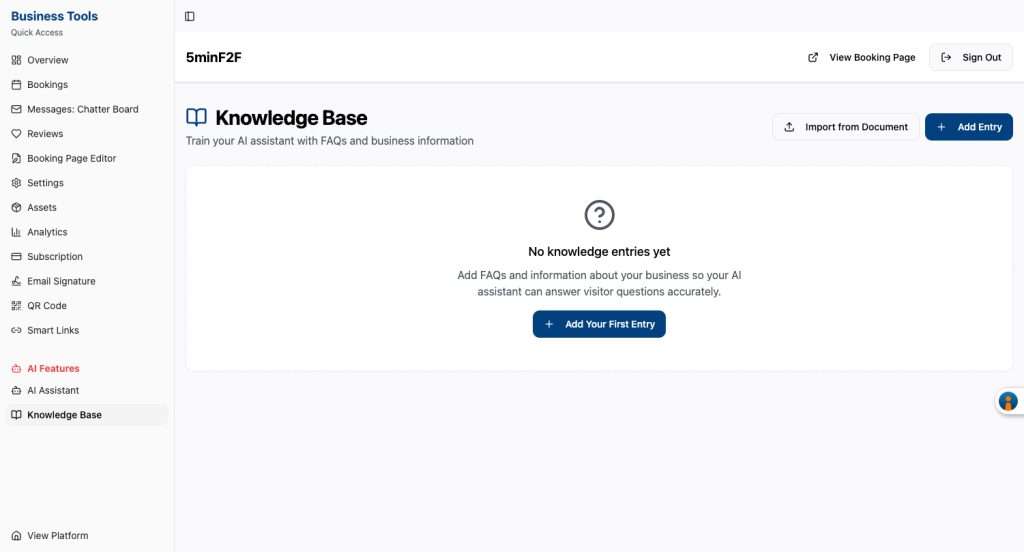
What Is the Knowledge Base?
The Knowledge Base is your central hub for training your AI assistant with helpful FAQs and essential business information. By adding clear, accurate details about your services, policies, and offerings, you enable your AI assistant to provide precise, on-demand answers to client questions—24/7.
Why Use the Knowledge Base?
- Instant Answers for Visitors: Empower your AI assistant to respond to customer inquiries confidently and accurately using the information you provide.
- Consistent Messaging: Ensure every answer your customers receive is consistent with your brand’s voice and expertise.
- Save Time: Let your AI handle routine questions, freeing your team to focus on more complex and personal interactions.
Key Features
- Add FAQs Easily
- Create questions and answers your customers commonly ask.
- Keep your information up-to-date and relevant.
- Import from Documents
- Seamlessly transfer business information and FAQs directly from existing files.
- Get started in minutes—no technical experience required.
- Centralized Business Info
- Store policies, business hours, service details, and more in one accessible location.
- Update Anytime
- Your Knowledge Base grows with your business—edit or add entries as your needs evolve.
How to Get Started
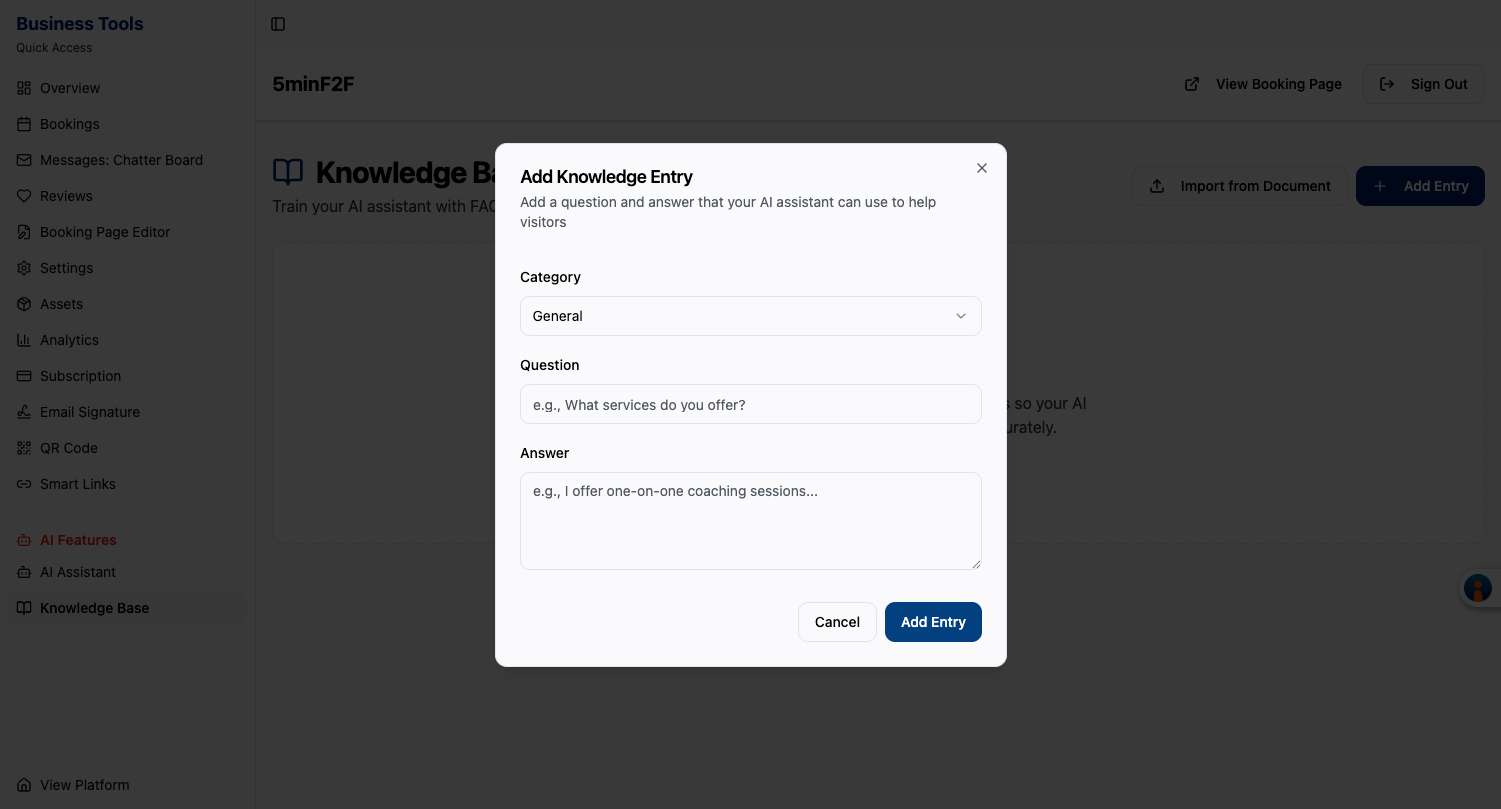
- Navigate to the Knowledge Base on your 5minF2F dashboard.
- Click “+ Add Entry” to create a new FAQ or information article.
- Or, use “Import from Document” to quickly populate your Knowledge Base with existing materials.
- Watch your AI assistant instantly leverage this information to serve your clients!
The Impact
A well-maintained Knowledge Base means your AI-powered assistant is always prepared to help. Faster answers, happier customers, and a more professional online presence—all made simple.
Tip: Start by adding your most frequently asked questions and important business details today. Your AI assistant’s potential is limited only by the knowledge you provide!
Ready to boost your customer experience? Add your first entry to the Knowledge Base now and watch your AI assistant shine!